Netbooks are dead, but the Chuwi Minibook X scratches the same itch.
The Minibook X is a 10.5″ x86_64 sub-ultrabook with 16GB RAM, a 512GB NVMe drive, and only one majorly annyoing Linux quirk.
I needed a knock-around laptop, so I bought myself a Minibook for my birthday last year. The more I tote it around, the more fun I’m having with this ridiculous little computer.
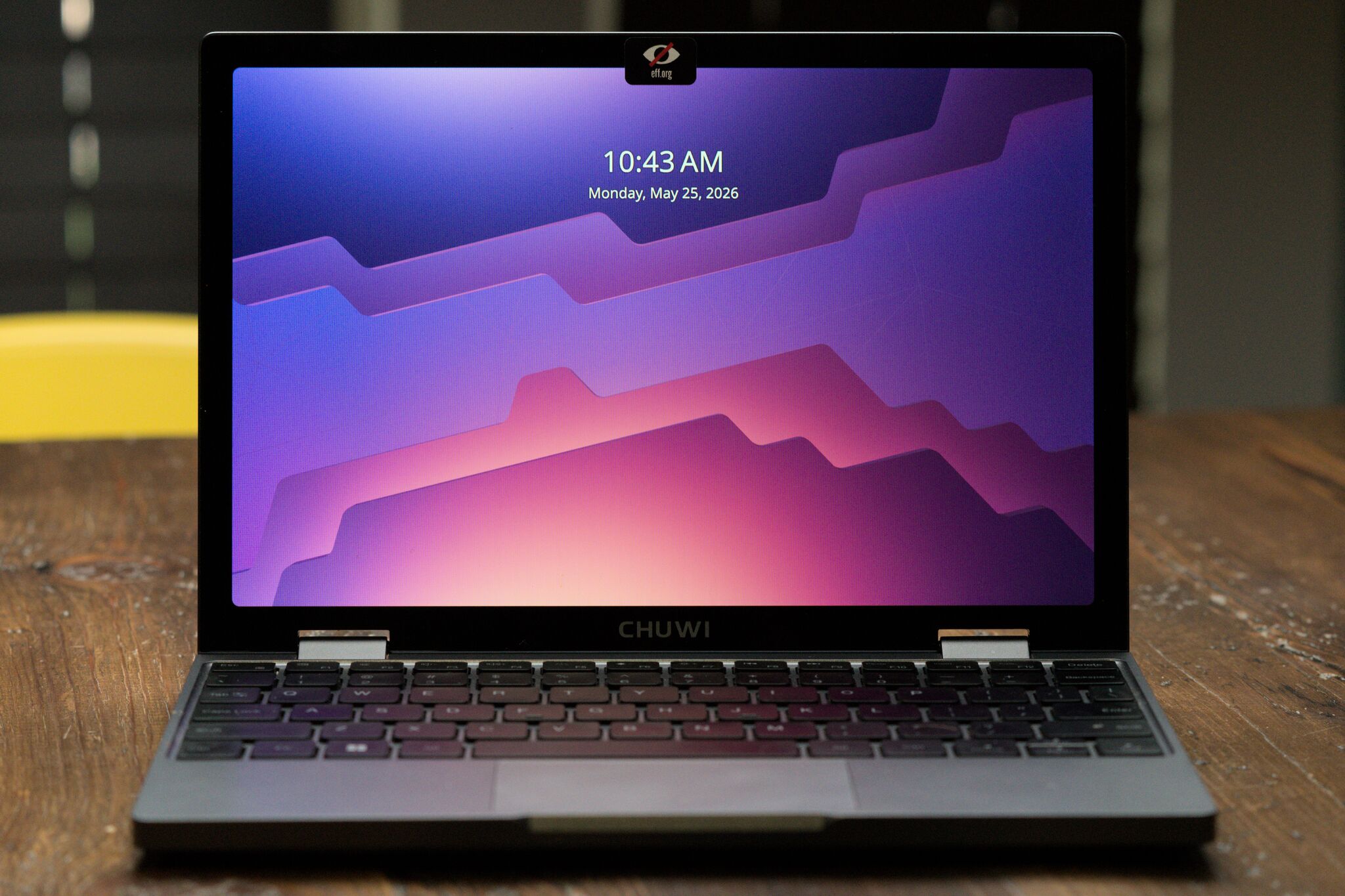
Quick specs
Much like the netbooks of yore, the Minibook is a budget machine. But it’s 2026, so even budget machines pack more oomph than I need from a utility laptop.
- CPU 4-core/4-thread 3.6GHz Intel N150 Twin Lake
- 16 GB RAM – LPDDR5-6400 – soldered 😿
- 512GB NVMe – upgradable
- 10.51” IPS 2K 16:10 screen
- 28.88Wh Li-Ion battery
- Weight: 911g
- Ports: 2×USB-C (1×PD charging)
- Cost: $350
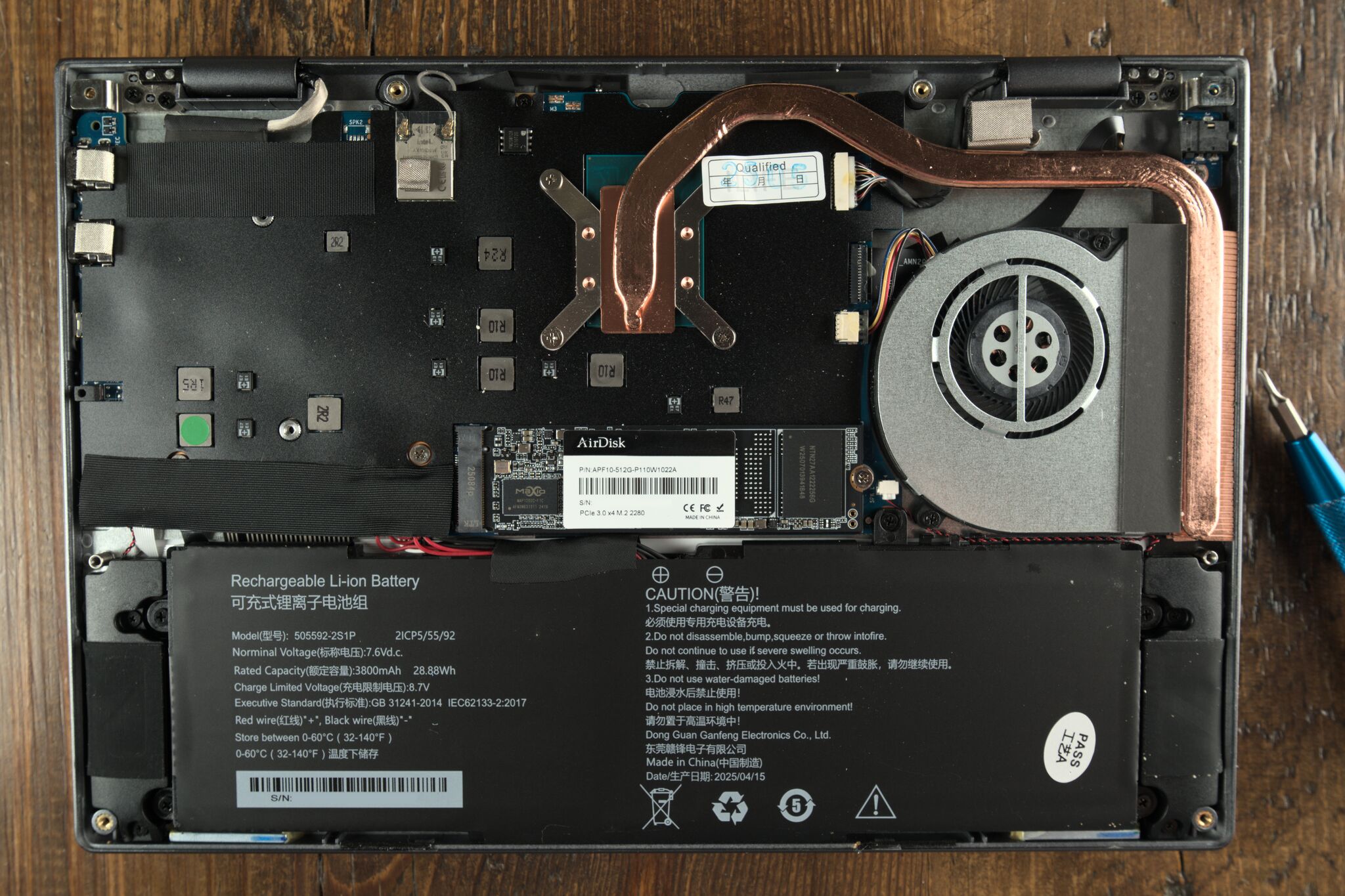
One oddity is that the Minibook comes bundled with a 12V/2A USB-C charger. I chucked the charger; I worried I’d fry some 5V SoC someday. The Minibook works fine with a PD charger.
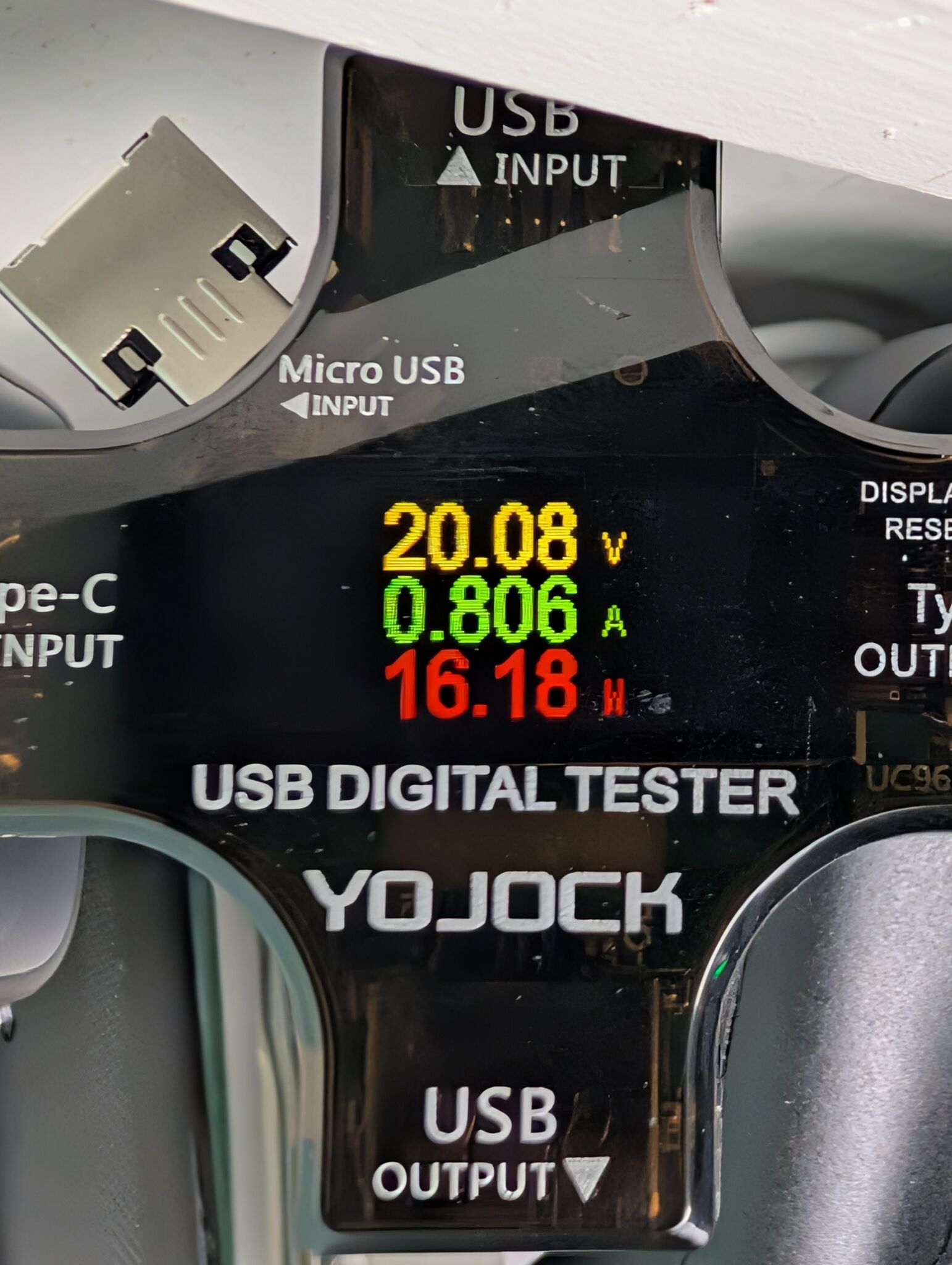
I’d assume the 12V charger was a cost-saving choice, but it also creates some weird possibilities for DC/off-grid setups.
Linux and weirdness: sideways panels and kernel parameters
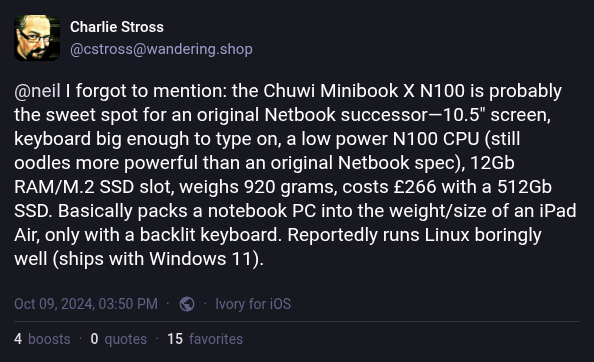
The fediverse told me that Minibook runs Linux “boringly well,” which was almost true.
I tried Debian, then jumped to NixOS for kicks.
What works:
- Camera/Microphone/Speakers
- Touchscreen
- Sleep/Suspend
- Hibernate
- Keyboard backlight
- USB-C HDMI
- Bluetooth (non-free blobs – Intel)
- Wi-Fi 6 (non-free blobs – Intel)
But on first boot, the screen orientation is 270° clockwise:
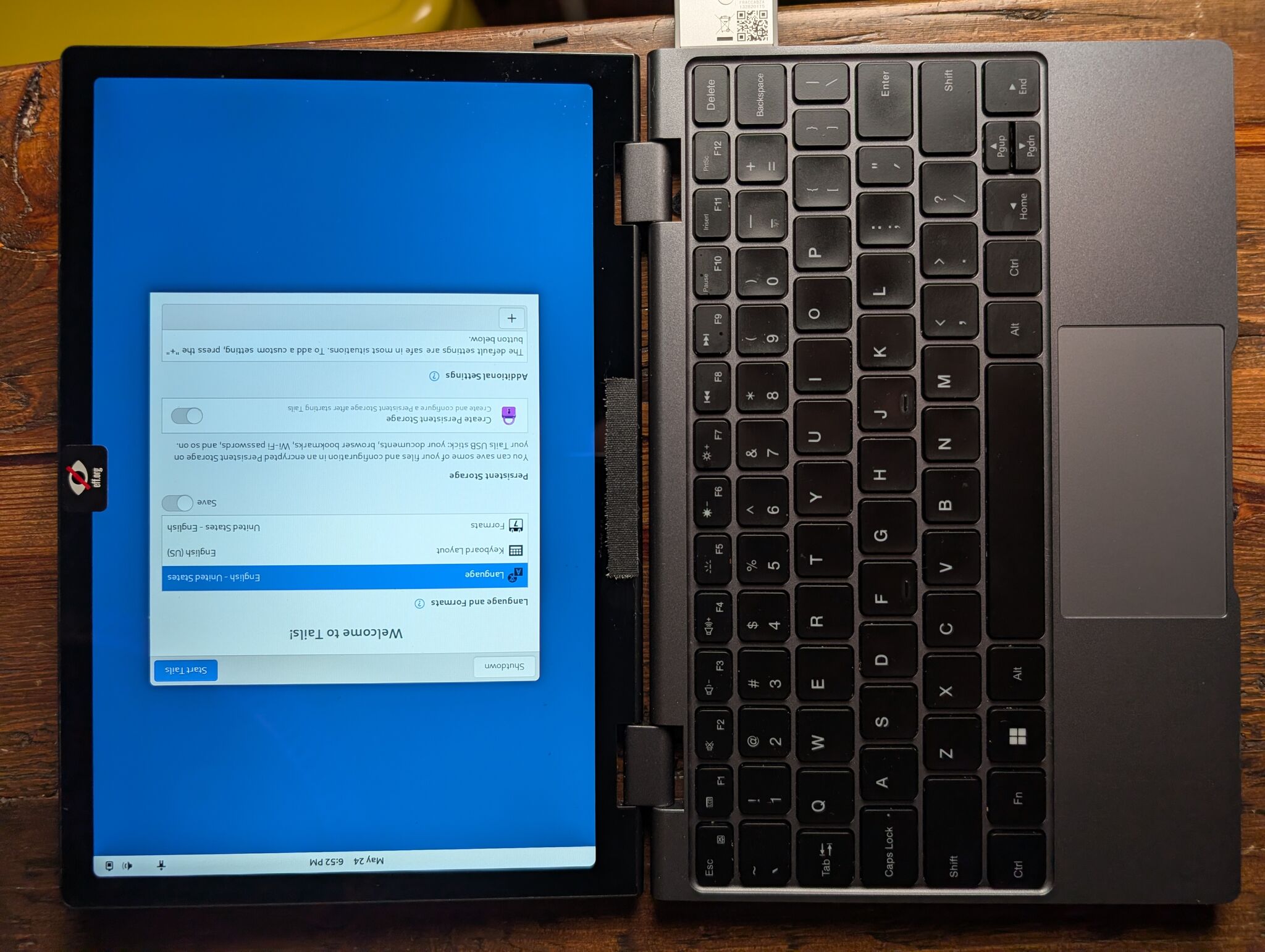
The Chuwi’s screen is a panel from a cheap tablet; the screen rotation issue is a hardware problem (the screen is mounted sideways). To fix the screen’s rotation, I had to tweak screen orientation at every software layer. Fixing this problem was a journey:
- Bootloader – Switched from
systemd-boottogrub, carrying some unmerged GRUB rotation patches on top. - Initrd – Tell the Intel display driver about the panel orientation
via a kernel parameter, and force the Intel driver to load in the
initramfs. On NixOS:
boot.kernelParams = ["video=DSI-1:panel_orientation=right_side_up"];andboot.initrd.kernelModules = ["i915"];(see Kernel docs for modedb default video mode support) - Desktop environment – For X11, good ole
xrandr --output DSI-1 --rotate right. Wayland picked this up from the DRM connector. This one was easy. - Framebuffer – Ensure all TTYs have the proper orientation by adding
fbcon=rotate:1to kernel parametersboot.kernelParams = ["fbcon=rotate:1"];(see Kernel docs for framebuffer console boot options)
Behold, the final result in all its glory:
mainframed/Hackers-PlymouthSize, weight, and build
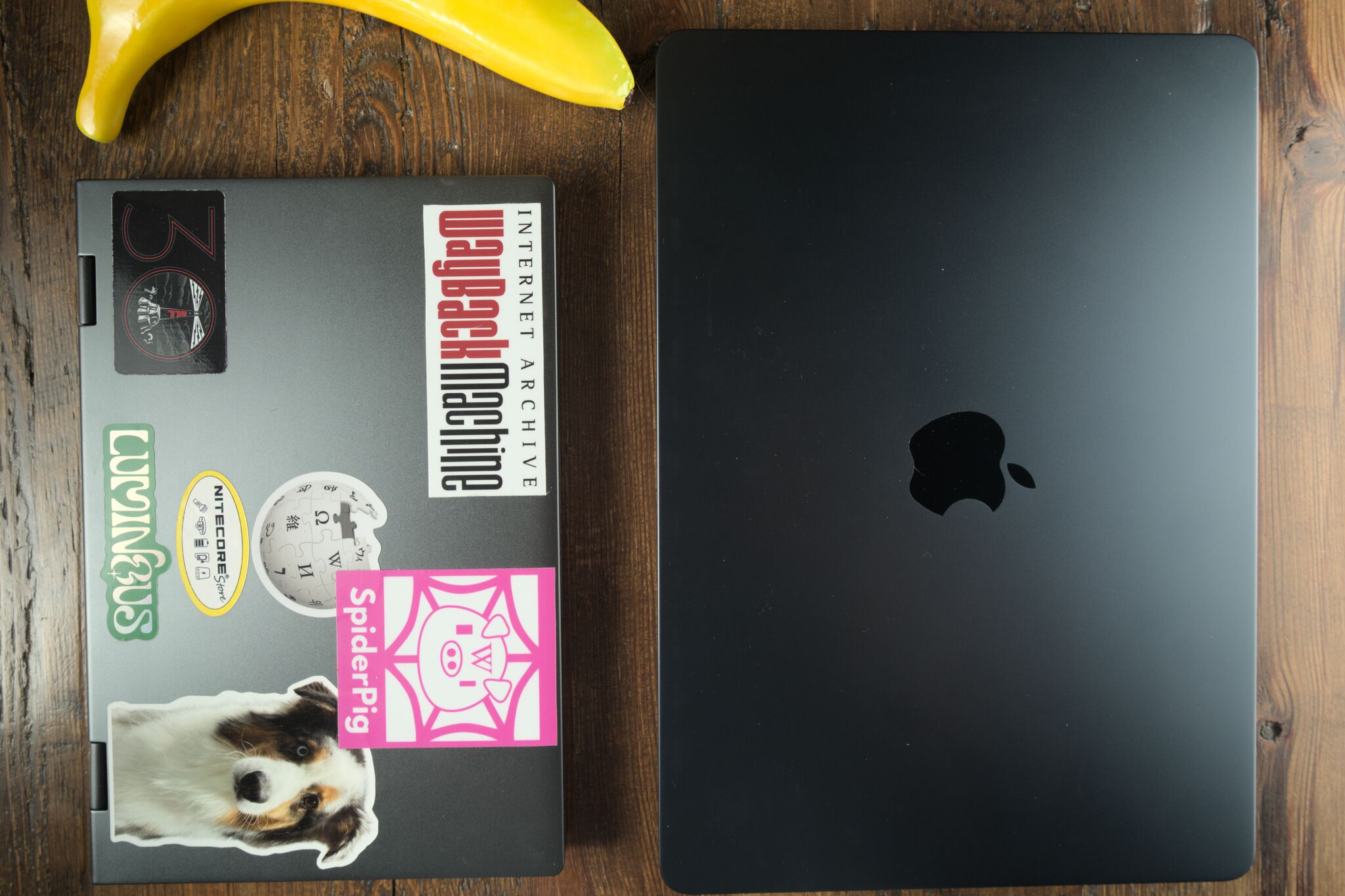
This computer is mind-bogglingly small. The build is sturdy and totable; it’ll hold up to a backpack jostling.
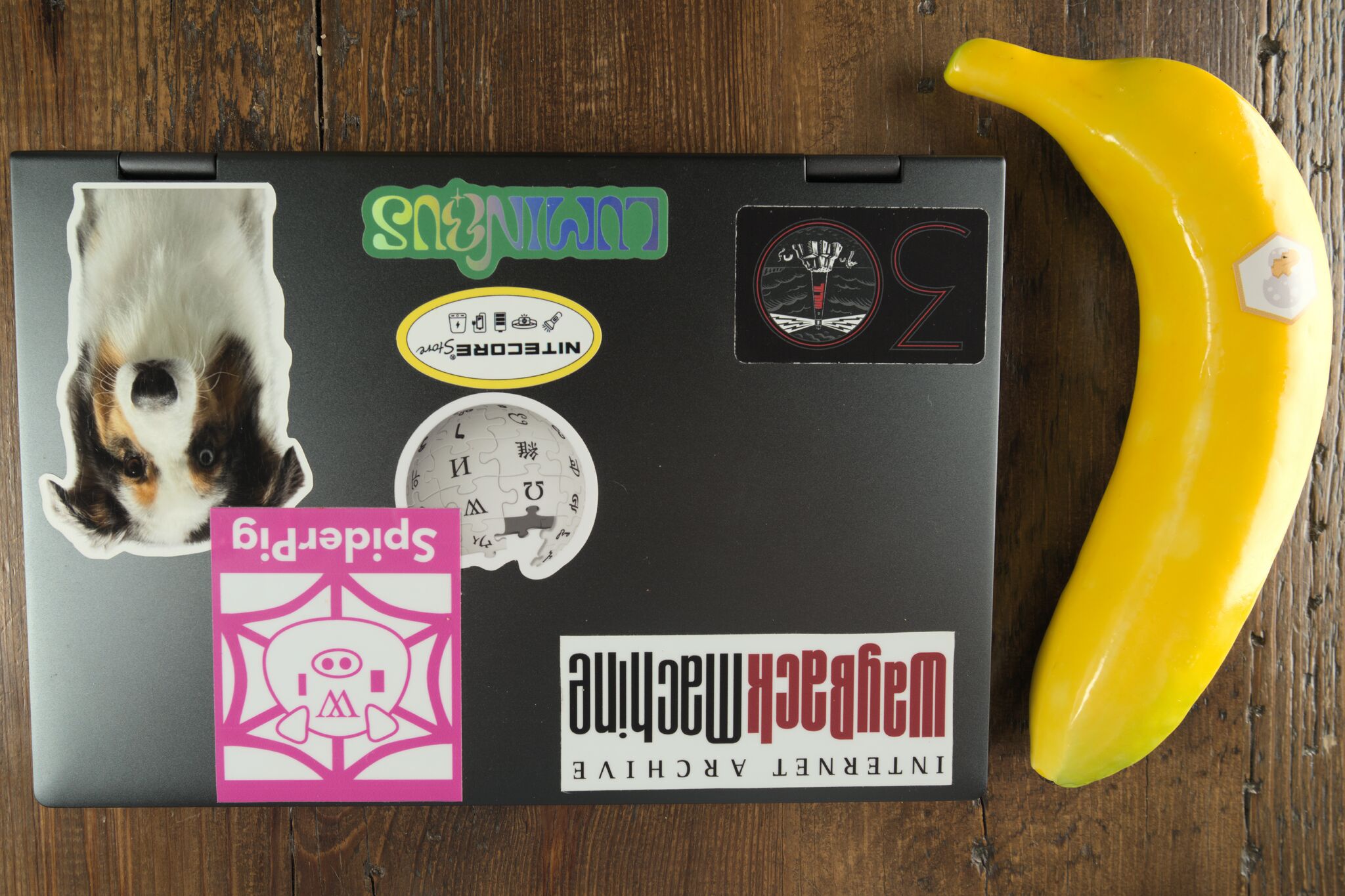
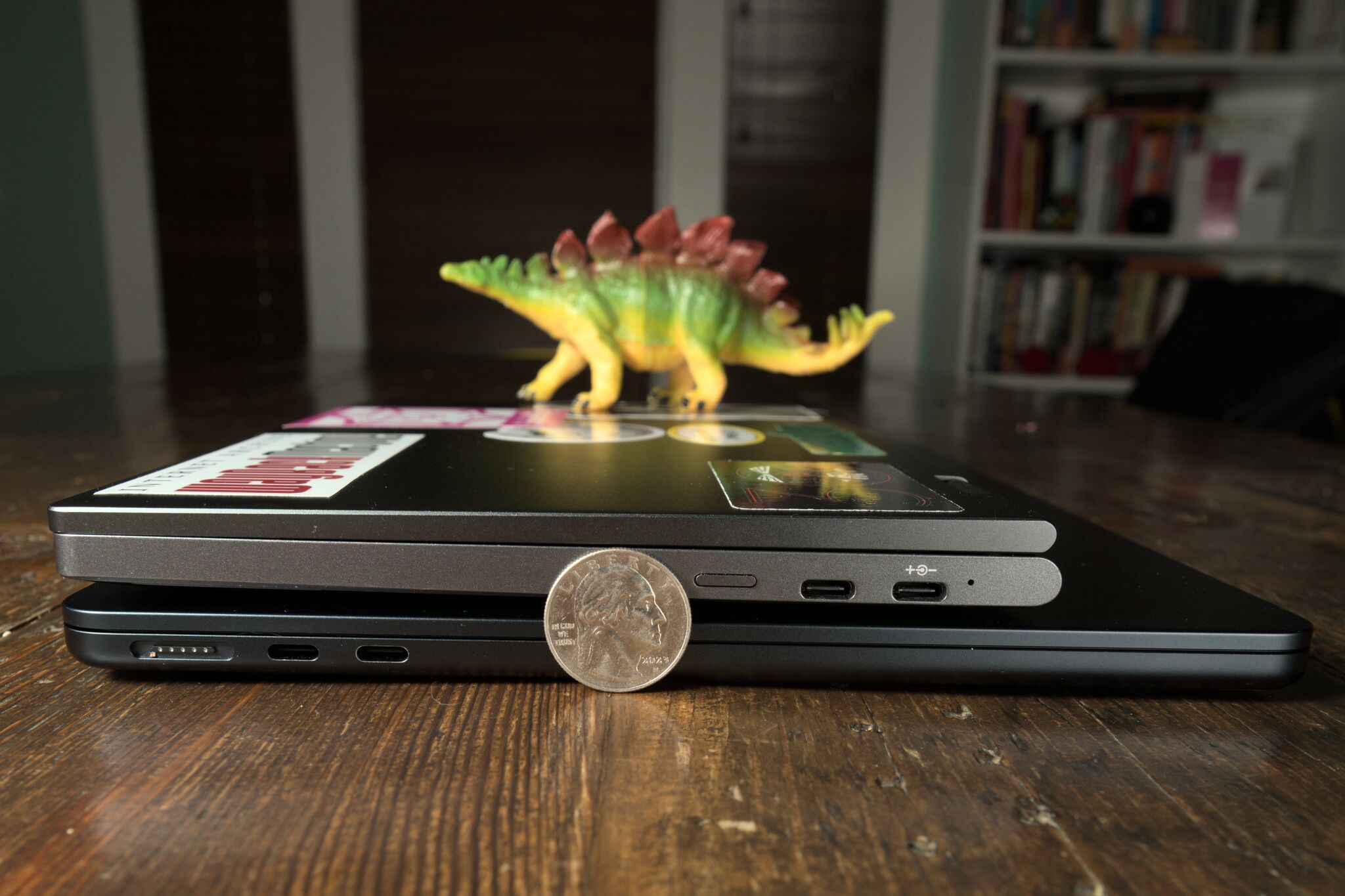
The laptop’s case is MacBook-esque: aluminum and good-looking. The MacBook Air’s dimensions dwarf the Chuwi’s, but the two laptops are about the same thickness.
A notebook that weighs more than a kilo is simply not a good thing
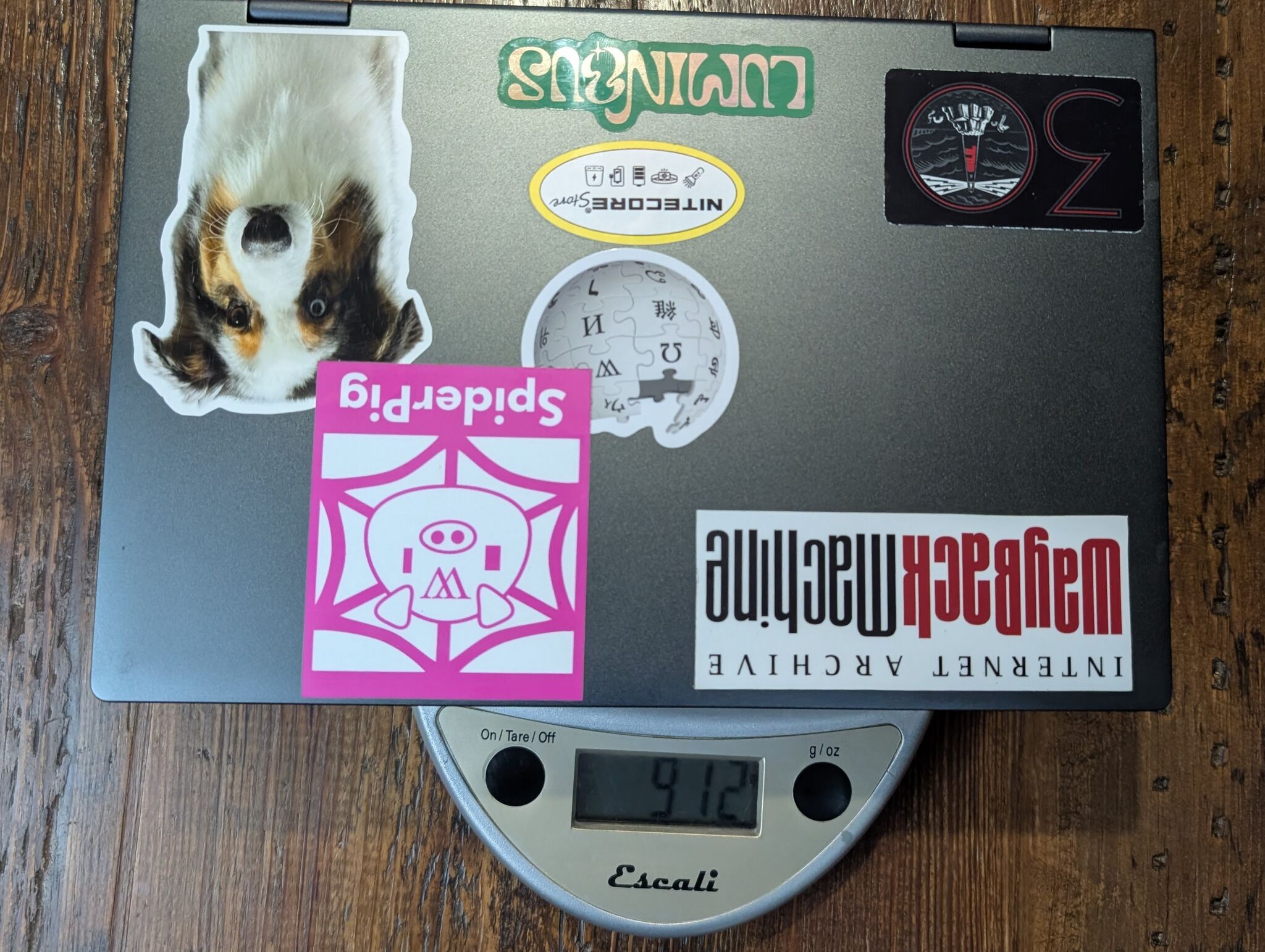
The Minibook weighs in just shy of a kilo at 912 grams.
Perf, thermals, and power
tl;dr: you get what you pay for. But battery life and cooling are better than I’d have guessed.
The Minibook X was never going to compile the Linux kernel in record time. But the performance matches the specs, it stays cool, and it has enough battery life to run a movie marathon.
Numbers:
- Geekbench6 (a fun side-quest to get running on NixOS), better than I
expected.
- Single-core: 1295
- Multi-core: 3332
- Wi-Fi 6 speed: 424 Mbps, more than enough to stream a 4K movie.
- Power
- Idle: 3.8W
- During benchmark: ~15W
Battery: When I left the 1995 classic film “Hackers” looping in VLC, the battery lasted about 6 hours.
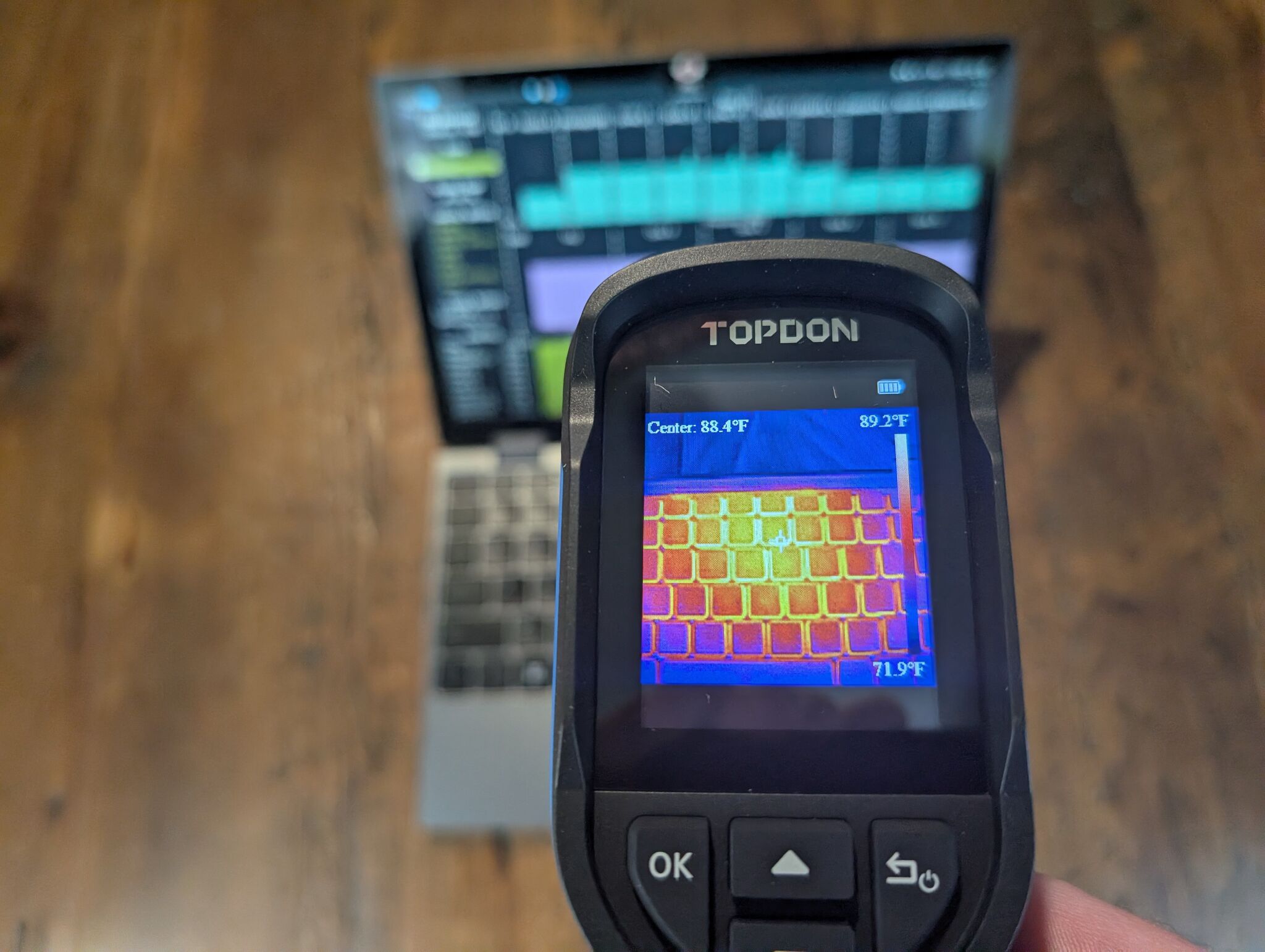
Heat: Running stress-ng for 10 minutes, the hottest part
of the laptop chassis remained below 90°F (32°C):
What I dislike
There’s so much to dislike about this laptop:
- Screen is terrible – 2K? 50Hz refresh rate? Why!?
- Keyboard is terrible – it only registers keystrokes when you hit the exact center of each key.
- Touchpad is terrible – It’s a diving board-style, without physical buttons.
- Sound is meh – I can hear the tinny laptop speaker fine, but it’s underwhelming. I’ve never tried tweaking it in Pipewire, though; it’s possible it could be better.
But “terrible” is in comparison to the nicest modern laptops in existence. Everything I listed here works fine. I’m honestly blown away when I tune my expectations to the sub-$400 laptop range.
Verdict
In The Death and Life of Great American Cities, Jane Jacobs wrote, “new ideas require old buildings”: cheap spaces let people try risky ideas.
The Chuwi Minibook X is an old building.
I can brick the Minibook and have a normal Monday on my serious work laptop. Nothing has to work, which makes it perfect to try out new Linux desktop stuff:
- NixOS – I’ve been using Debian for 15 years+, figured I’d try joining the NixOS cult for a while.
- RiverWM – I’m on a quest to find the Wayland version of XMonad; River is pretty close.
- KDE Plasma – I’ve used a tiling window manager for over a decade. What’s it like to use a desktop that Just Works™?
- Steam – Never been much into games, but I decided to give Steam a try since, well, why not?
Cheap, weird computers like the Chuwi make it safe to play. And playing with computers is still fun.